BlogPCB comments

Stop Reading Datasheets. Start Asking Questions.

Pin a question to any part of a board and Inky answers from the design itself. We tried heypcb Comment on the HackRF One.
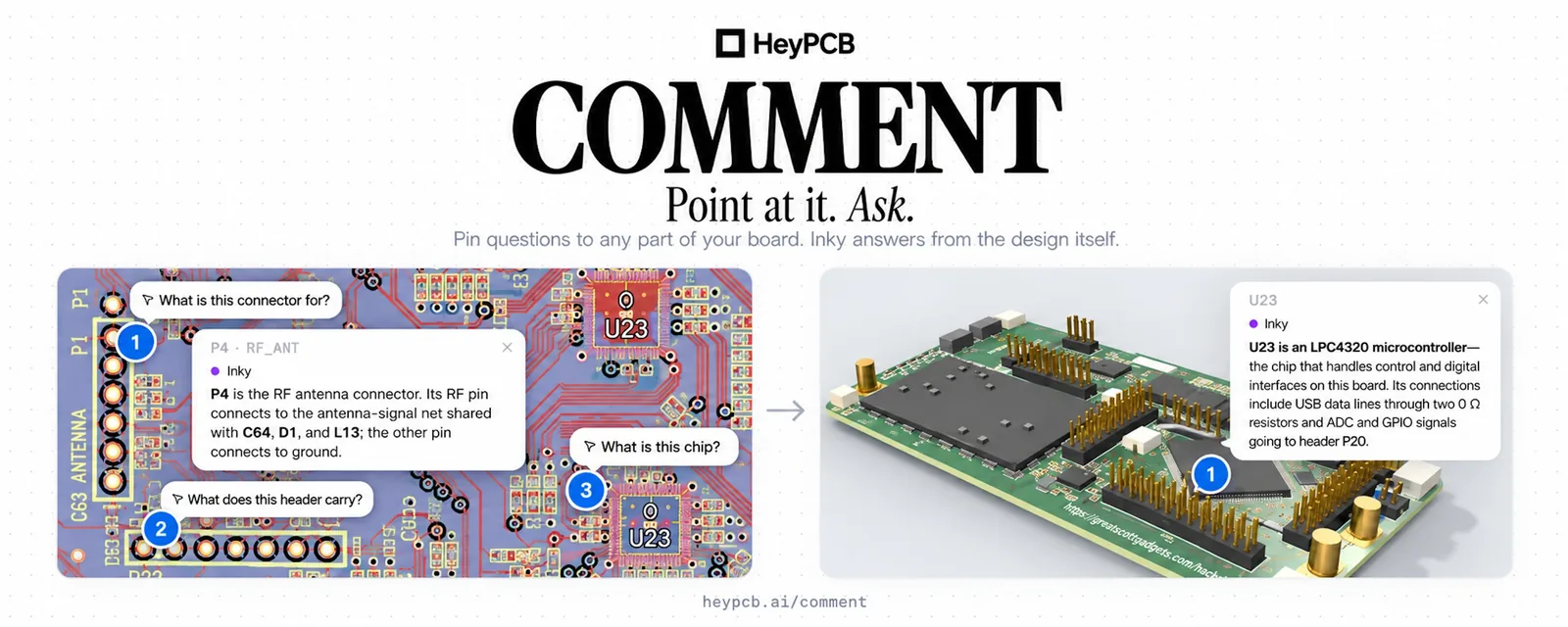
heypcb Comment — Point at it. Ask. Questions pinned to the HackRF One's PCB and 3D view, with Inky's answers from the design.

There are thousands of incredible open-source hardware projects out there. But understanding how they work isn't always easy.

What if you want to know something specific?

Instead of digging through schematics and datasheets, we thought why not just point and ask?

So we built HeyPCB Comment.
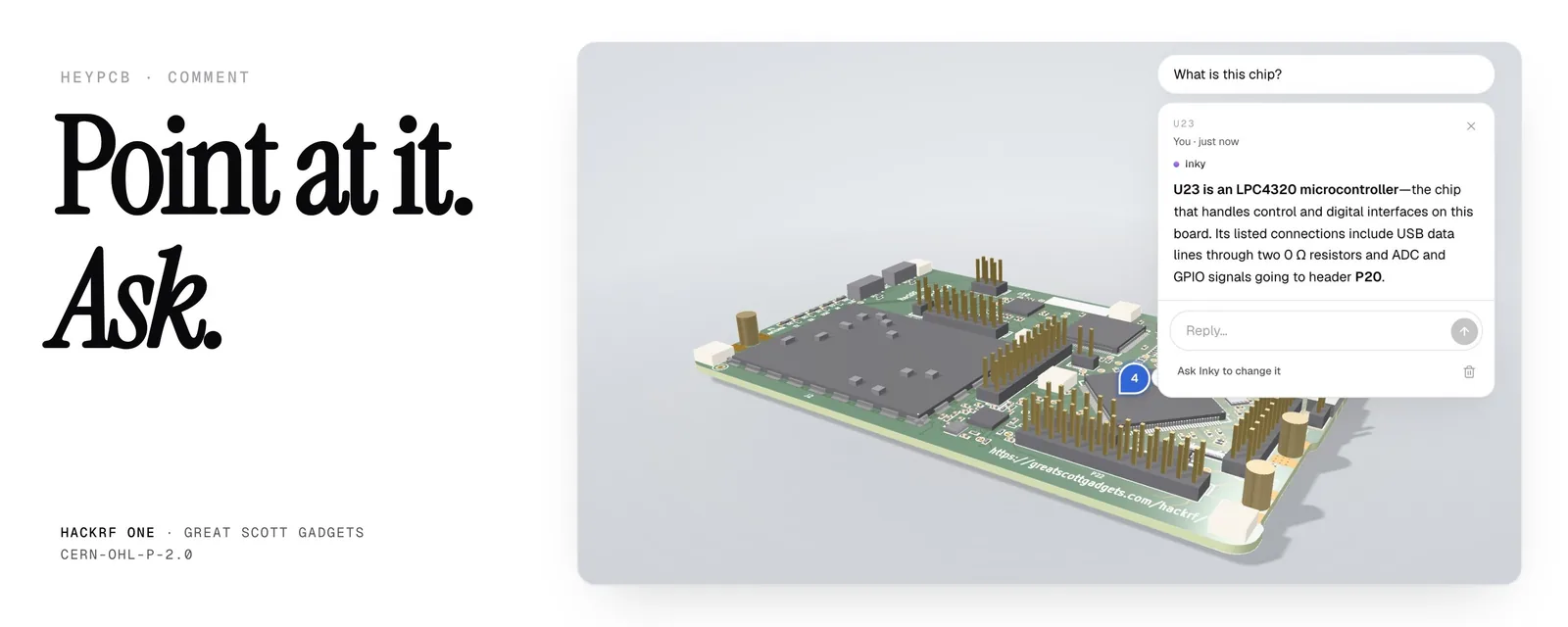
"Point at it. Ask." beside the HackRF One in 3D, where a pinned question asks what U23 is and Inky answers that it is an LPC4320 microcontroller.

Ask anything about your hardware.

Open any board, pin a question to a component or connection, and Inky1.0 answers using the actual design.

We tried it on the HackRF One from Great Scott Gadgets.

We asked where its USB connector goes, and Inky traced the connections and explained how it works.
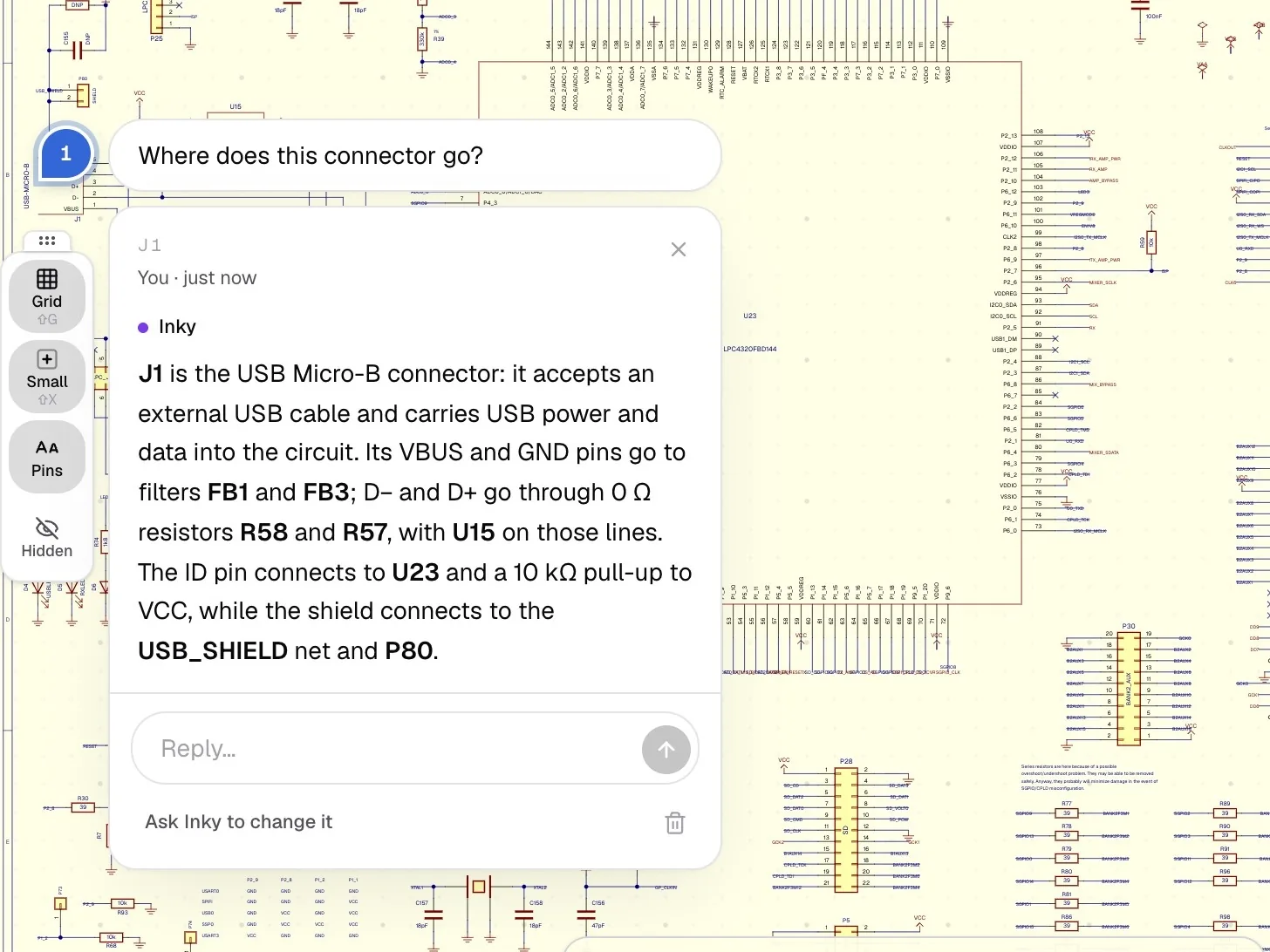
A comment on the HackRF One schematic asking where J1 goes; Inky explains it is the USB Micro-B connector and names the filters, resistors and nets it connects to.

You can do the same directly on the PCB, whether you're exploring an RF connector, checking a header's signals, or inspecting the other side of the board.
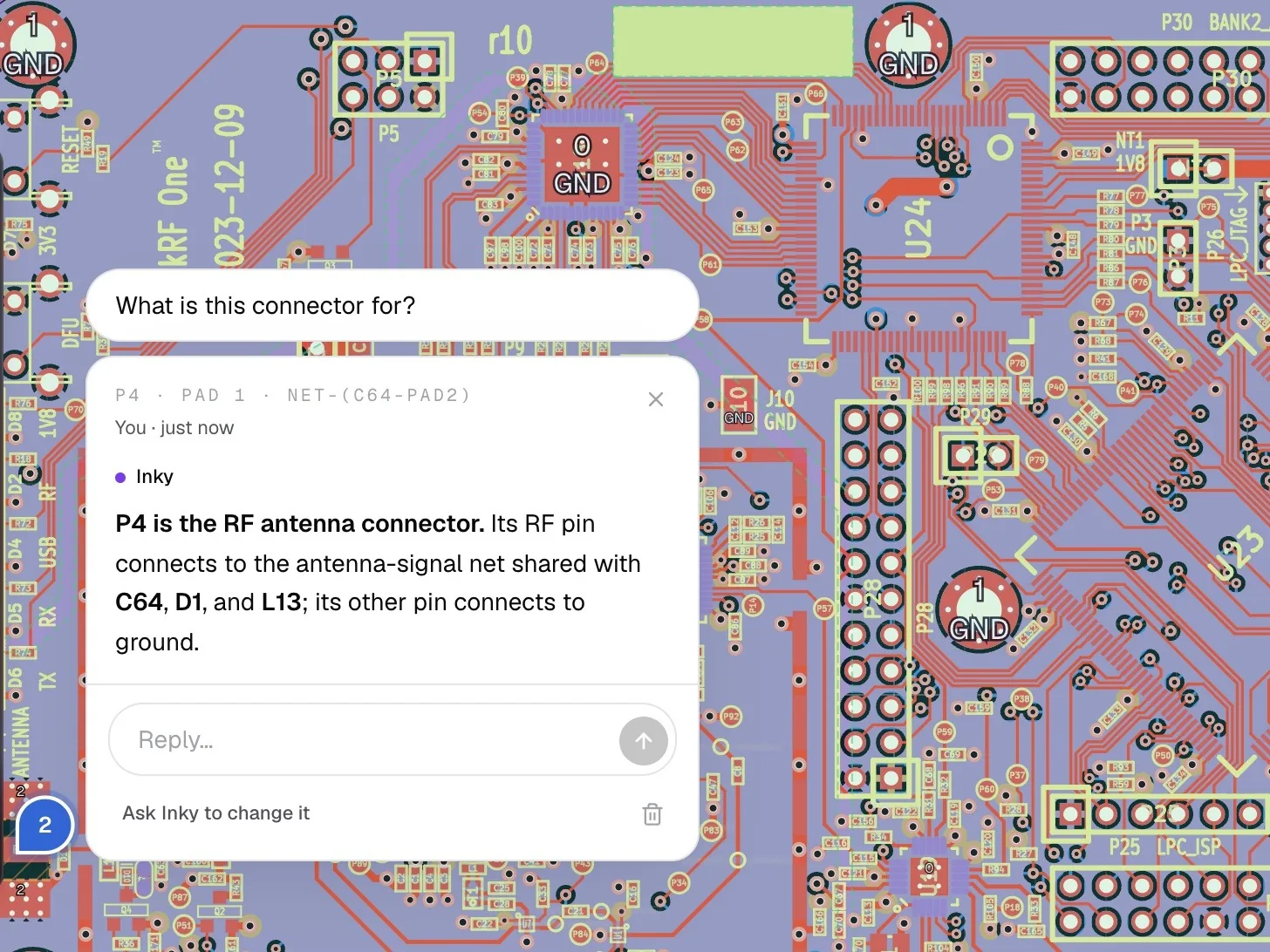
A comment on the HackRF One PCB asking what connector P4 is for; Inky answers that it is the RF antenna connector and names the parts on its net.

It even works in 3D. Point at a chip, ask what it does, and Inky explains its role in the design.
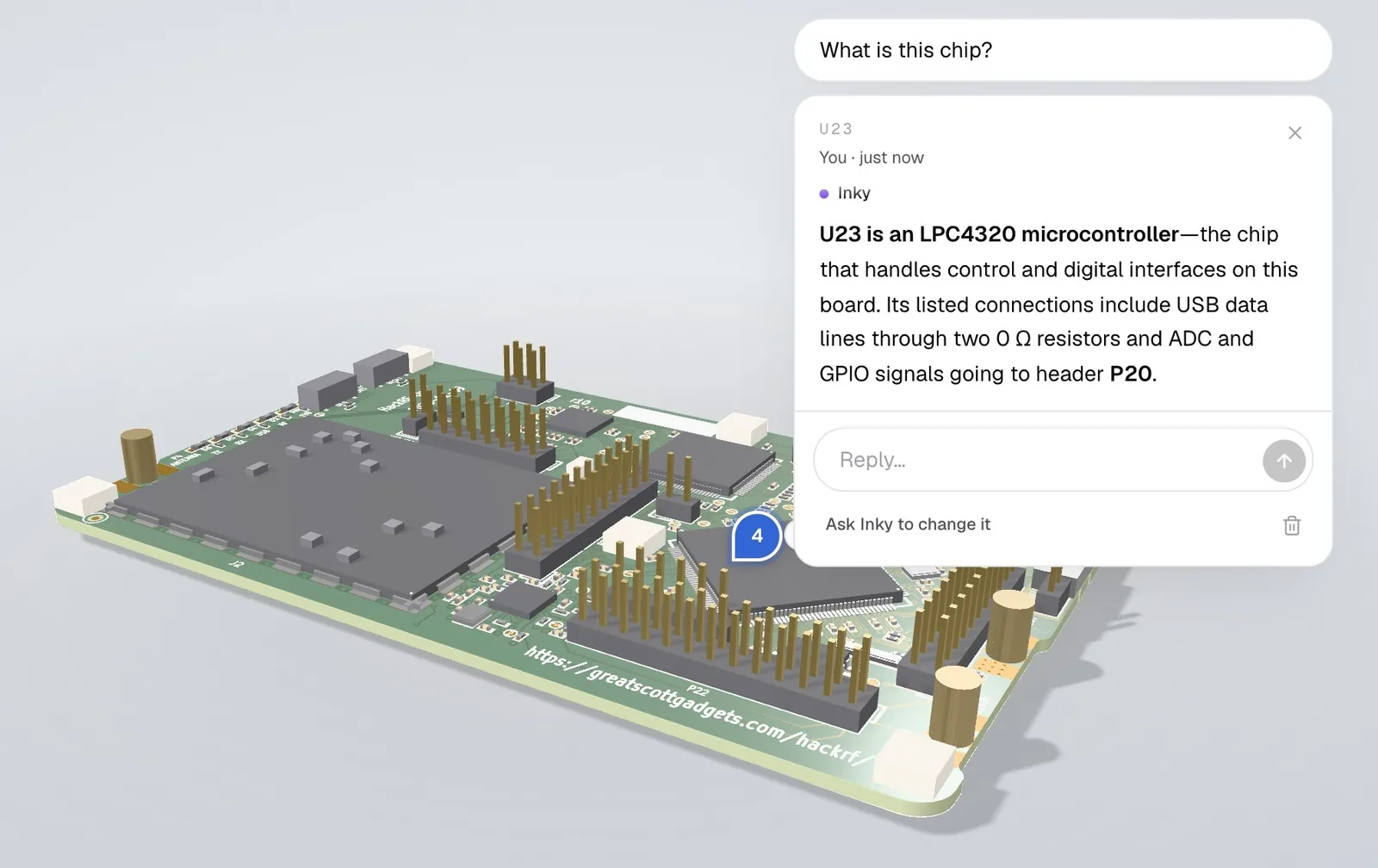
The HackRF One in the 3D view with a comment on U23; Inky explains it is an LPC4320 microcontroller handling control and digital interfaces.

Don't just ask. Change it.

Every comment can also become an instruction for Inky.

We asked Inky to add a QR code linking to the original HackRF project on the back of the board, underneath U23.
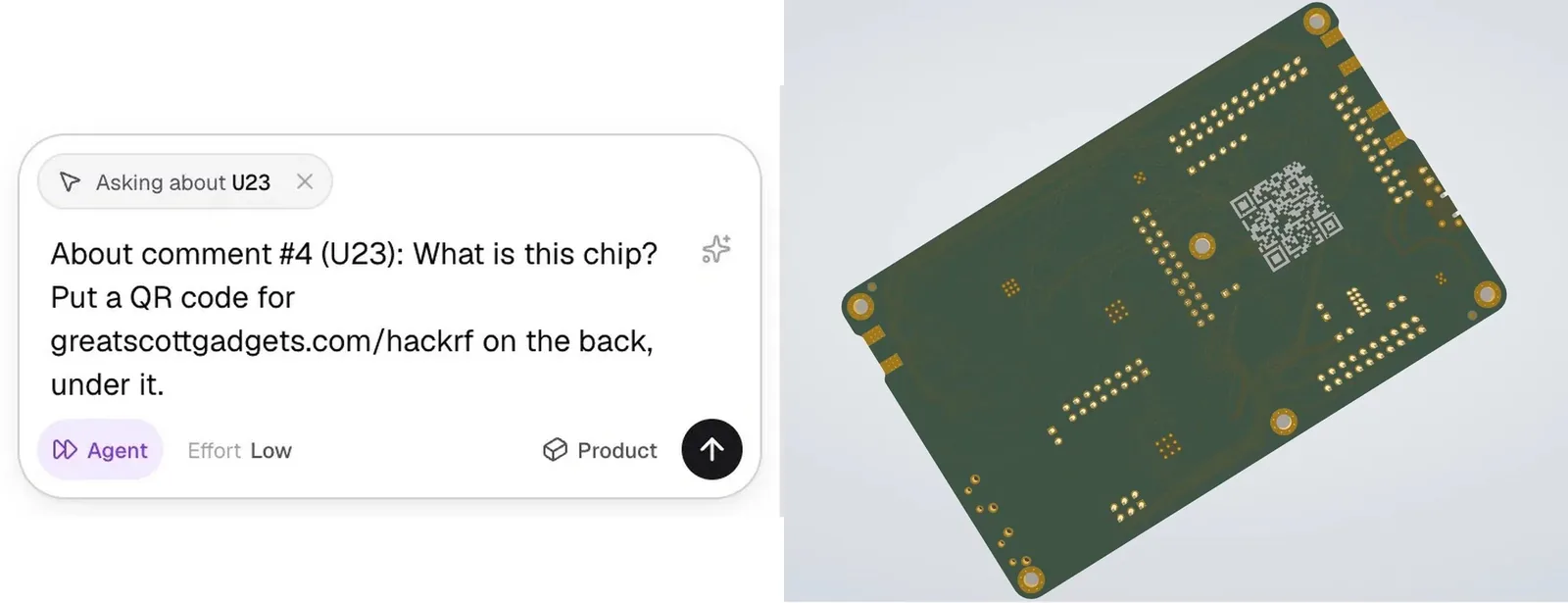
The comment on U23 sent to Inky as an instruction to put a QR code for greatscottgadgets.com/hackrf on the back of the board, and the board's back side with the QR code added.

From asking a question to actually changing hardware. We believe open-source hardware should be more than something you download. It should be something anyone can understand, improve, and make their own.

That's what we're building at HeyPCB. Discover it. Understand it. Make it yours.

Explore 11,000+ designs: https://heypcb.ai/world Point at it. Ask: https://heypcb.ai/comment
Topics

  • PCB comments
  • ask questions about a PCB
  • HackRF One
  • AI PCB assistant
  • open-source hardware

Share

First published on X

More posts

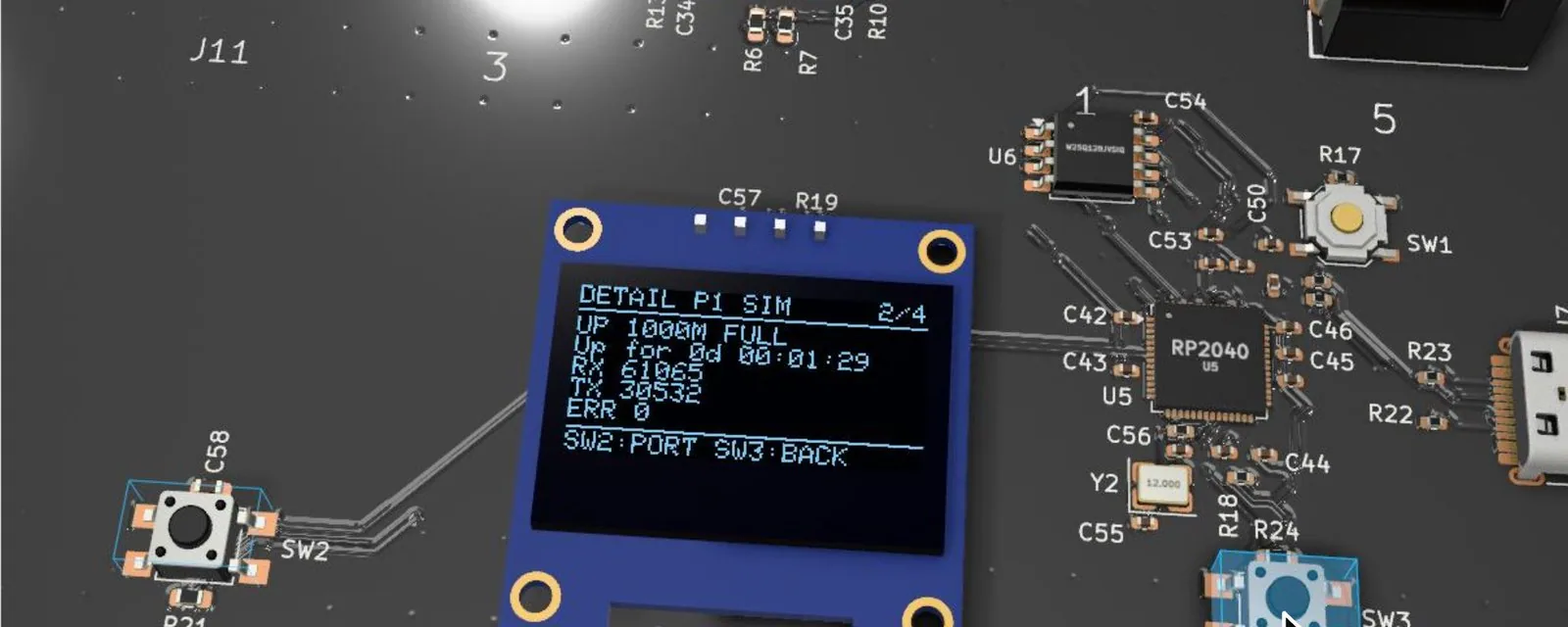
A close-up of the 3D board shows the OLED on port 1 detail beside an RP2040, switches and a USB connector.five-port gigabit switch OLED firmware

See a network switch come alive before it exists

See a five-port gigabit switch's OLED firmware run on its 3D board in the browser, with buttons and a serial console, before it is made.

HeyPCB3 min
HeyPCB Code title beside a black handheld whose screen shows a pixel space shooter.HeyPCB Code

From Prompt to Working Firmware

HeyPCB brings firmware into the browser: design a handheld, then write, simulate, and flash six games for the same board.

HeyPCB1 min
Exploded HeyPCB Memo with an anodised aluminium shell, an all-in-one PCB, battery space, and a five-screw back plate.HeyPCB Memo

We Built Pocket, but Better.

HeyPCB Memo rethinks Pocket as one 52 × 28 mm board in an editable aluminum shell, with open-source PCB, CAD, and firmware to build on.

HeyPCB2 min