Blogcollaborative PCB design

Multiplayer for PCB design is here

Open the same heypcb project in separate browsers and see teammates work live: cursors, selections, drags, routes and wires on the schematic and PCB.
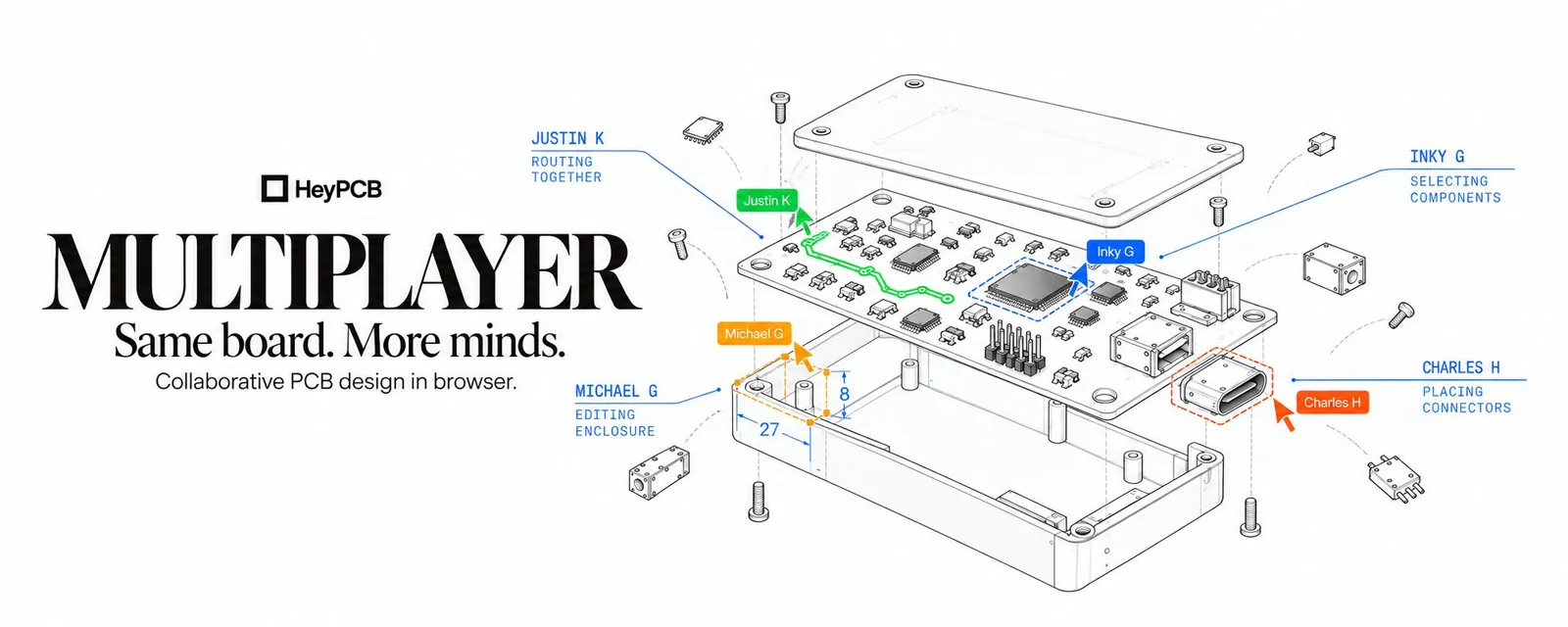
heypcb Multiplayer — Same board. More minds. An exploded drawing of a board and its enclosure, with four people's cursors routing, selecting, placing and editing.

A lot of PCB collaboration happens before anything is saved: a part being moved, a trace being drawn, someone pointing at a pad.

Today we're launching Multiplayer on HeyPCB.

Open the same project in separate browsers and see your teammates work live: cursors, selections, drags, routes, wires, and the view they're looking at.
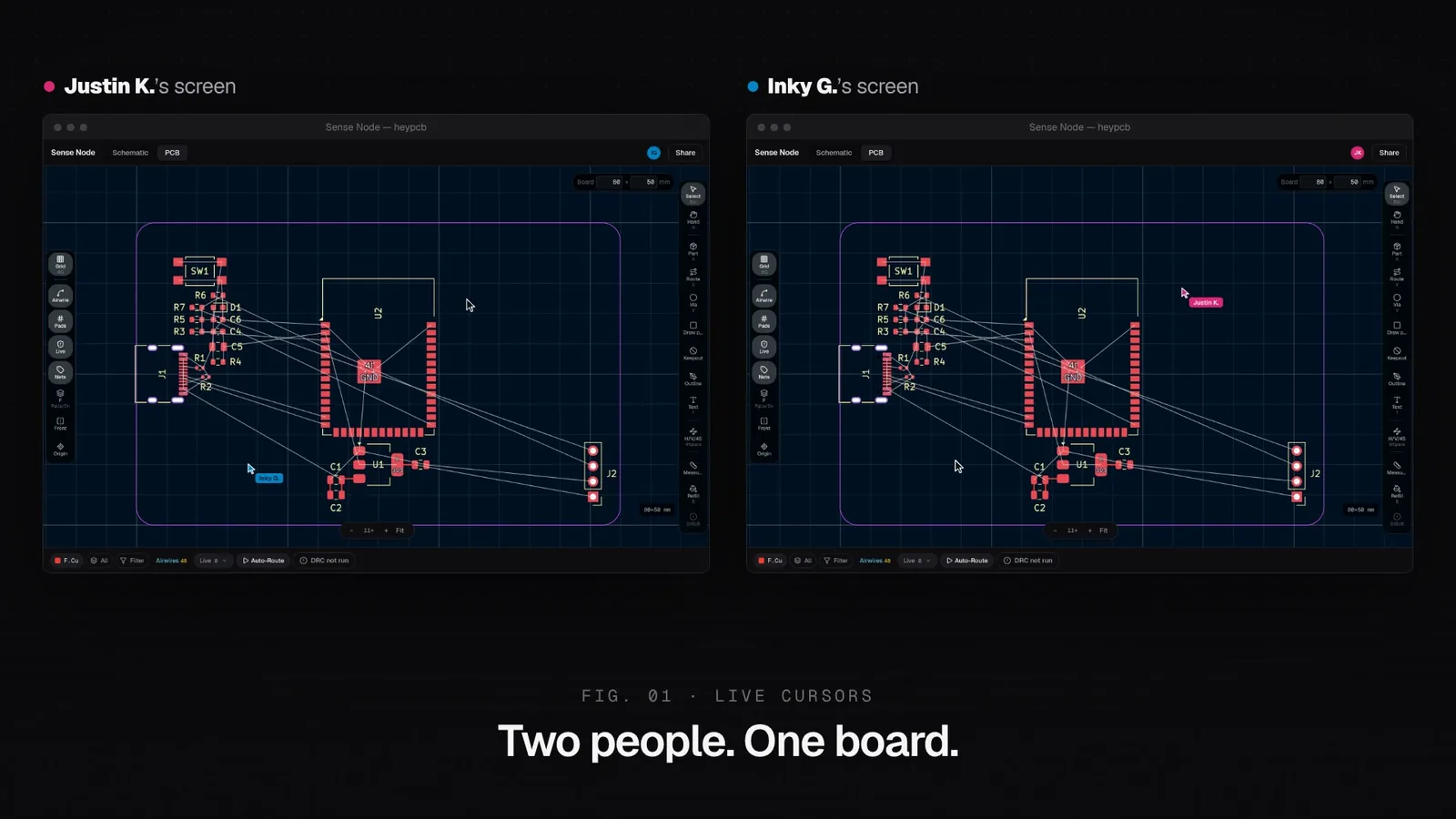
Two people's screens side by side on the same PCB, each showing the other's named cursor. Fig. 01 — Live cursors: two people, one board.

Cursors stay anchored to the same design point, even at different zoom levels. Selections show what someone means, and drags show where a part may go.

Routing works the same way. As Inky draws J1_USB_DP, Justin sees the live trace before it’s committed. Once saved, the route appears for everyone.
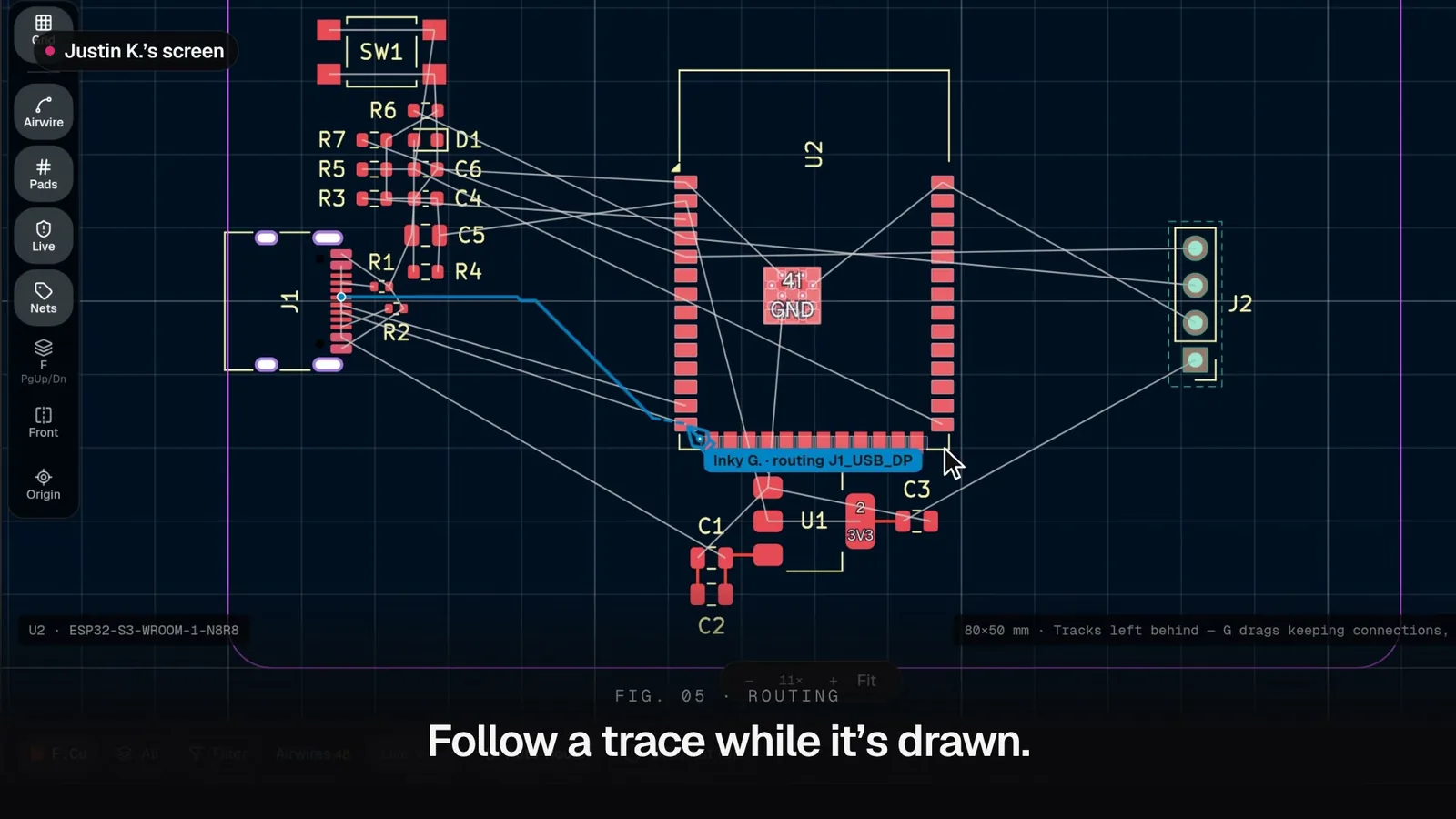
Justin's screen showing Inky's cursor routing J1_USB_DP live on the PCB. Fig. 05 — Routing: follow a trace while it's drawn.

Sometimes you need more than a cursor.

Click a teammate's avatar and you can follow their surface, sheet, and viewport. If they move from the PCB to the schematic, you go with them. Scroll, click, or press Escape and you're free to look elsewhere again.
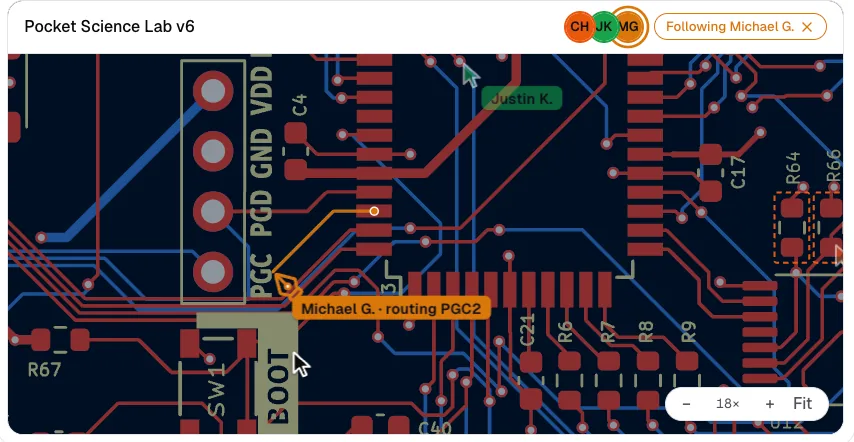
Following Michael on the Pocket Science Lab v6 PCB while he routes PGC2, with Justin's cursor nearby and the three avatars in the header.

The Share button controls who joins. Invite someone by email, turn on an invite link, and choose whether they can edit or only view.

Editors can change the design and run Inky. Viewers can inspect and follow. When someone makes a saved edit, open tabs pick up that change too.
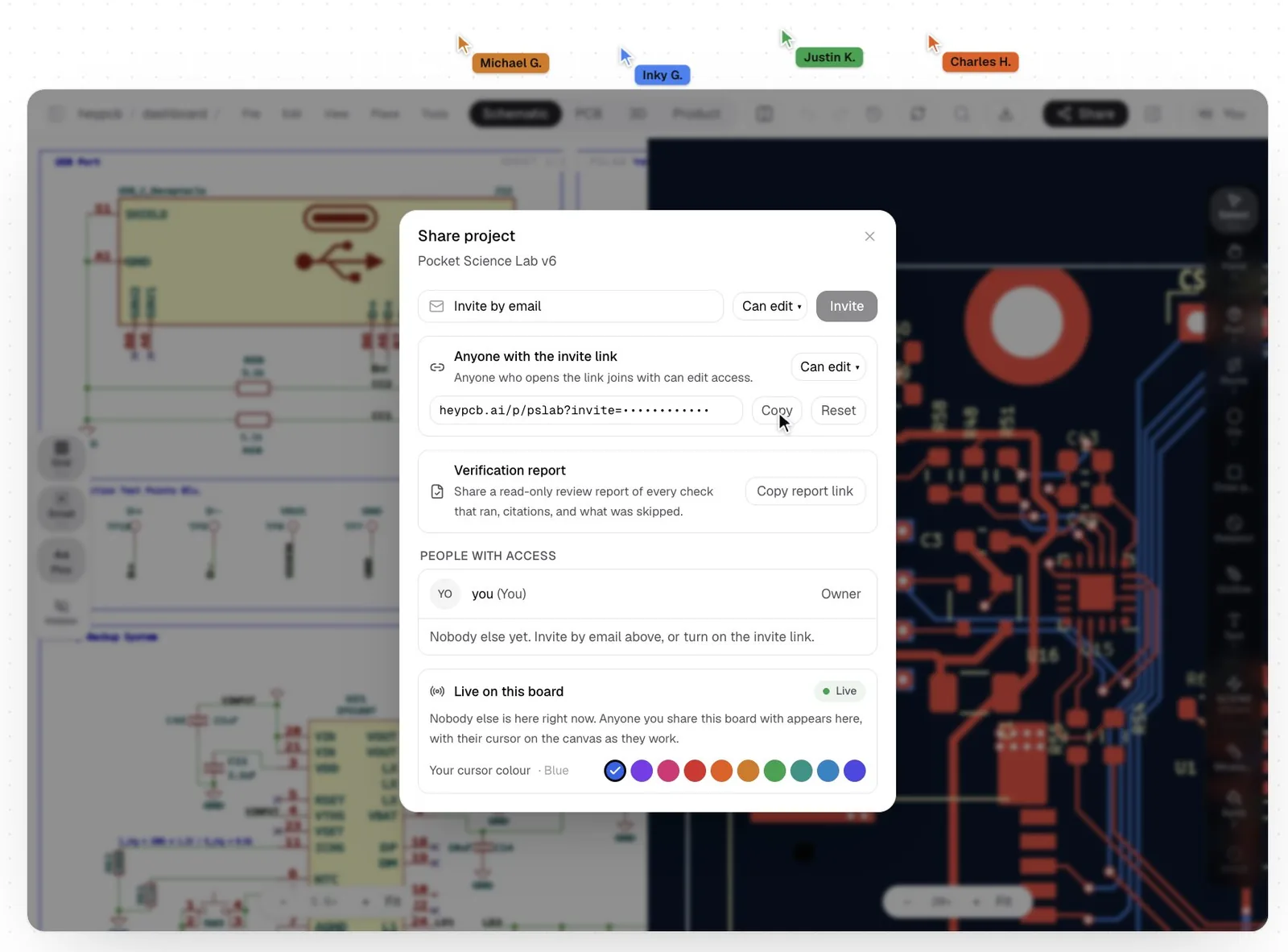
The Share project dialog: invite by email, an invite link with Can edit access, the people with access, and the live cursor colour picker.

Multiplayer lives directly inside the schematic and PCB editors.

You can see who’s there, where they’re pointing, what they’ve selected, which parts they’re moving, and the routes or wires they’re drawing as they work.
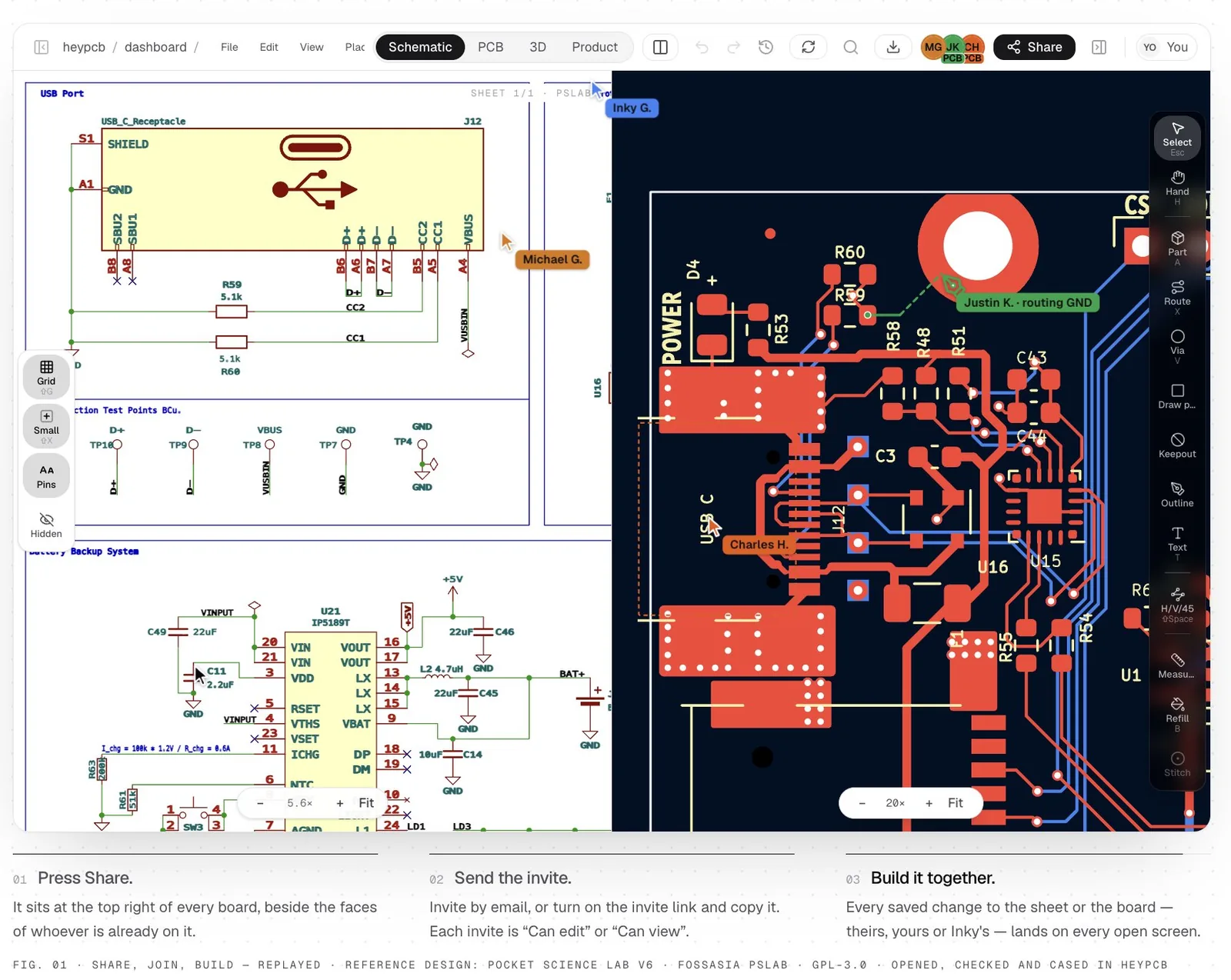
The heypcb editor with the schematic and PCB side by side and four people's named cursors on them, above three steps: press Share, send the invite, build it together.

Hardware has always been collaborative. The tools just haven't felt that way.

Multiplayer brings that collaboration onto the board itself, while the decisions are still being made.

Open the same project. See what everyone is doing. Build the next version together.

Same board. More minds.
heypcb.ai/multiplayer

Topics

  • collaborative PCB design
  • multiplayer PCB editor
  • real-time PCB collaboration
  • KiCad collaboration
  • PCB design in the browser

Share

First published on X

More posts

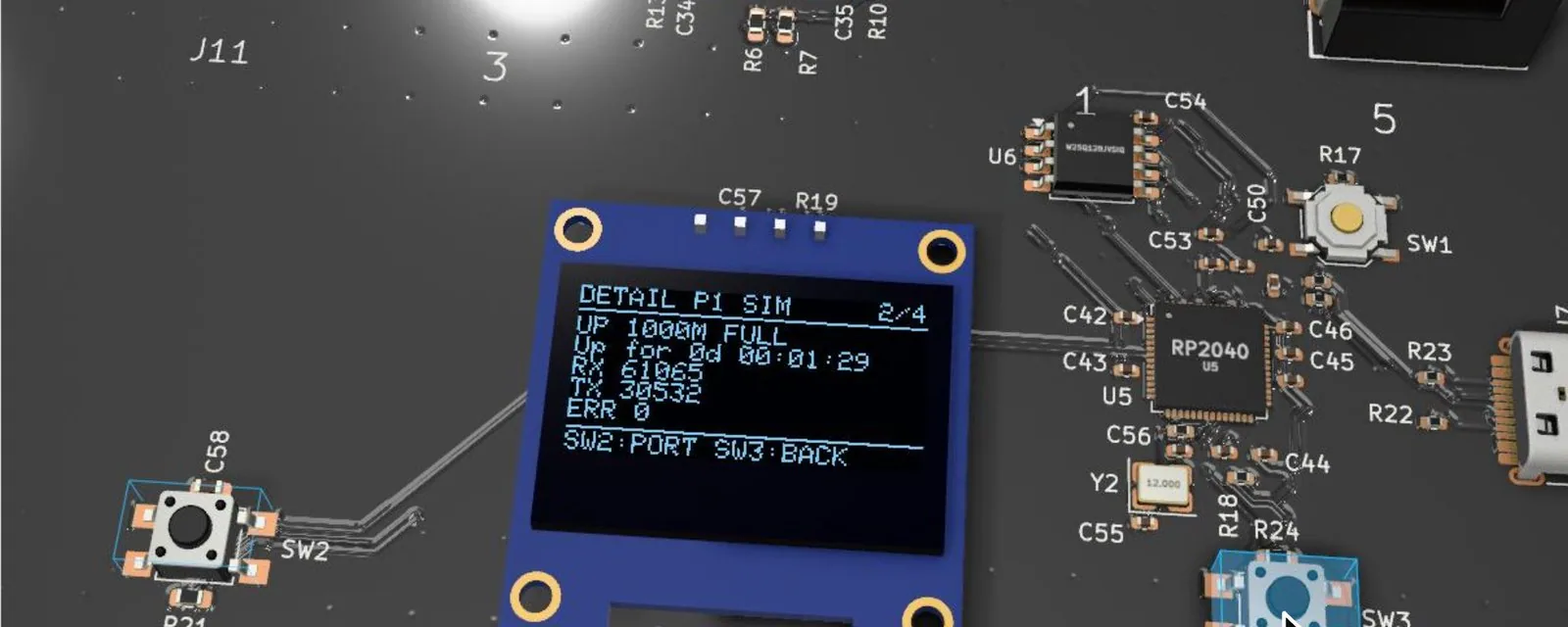
A close-up of the 3D board shows the OLED on port 1 detail beside an RP2040, switches and a USB connector.five-port gigabit switch OLED firmware

See a network switch come alive before it exists

See a five-port gigabit switch's OLED firmware run on its 3D board in the browser, with buttons and a serial console, before it is made.

HeyPCB3 min
HeyPCB Code title beside a black handheld whose screen shows a pixel space shooter.HeyPCB Code

From Prompt to Working Firmware

HeyPCB brings firmware into the browser: design a handheld, then write, simulate, and flash six games for the same board.

HeyPCB1 min
Exploded HeyPCB Memo with an anodised aluminium shell, an all-in-one PCB, battery space, and a five-screw back plate.HeyPCB Memo

We Built Pocket, but Better.

HeyPCB Memo rethinks Pocket as one 52 × 28 mm board in an editable aluminum shell, with open-source PCB, CAD, and firmware to build on.

HeyPCB2 min